We are going to have an AI:
- Create 25 new Facebook ads (images + copy)
- Launch them into our Meta Ads account, without ever opening the ads manager
- Schedule this so it happens weekly
This entire process should take about 10–15 minutes.
Why are we doing this?
This is the skeleton of a workflow that will likely become the foundation of my paid ad campaigns. This essentially automates multiple hours or days of work involving multiple stakeholders. I've tried this workflow in the past, but it was never high quality enough for me to be happy with it. But because of a few new tools all released in the past few weeks, this is now genuinely possible.
What made this possible
The first is Higgsfield MCP, which is essentially a single connector that gives Claude access to a range of image and video generation models. You connect it once and it becomes a tool Claude can call whenever it needs to create something visual.
The second is Meta's official ads connector. Meta was reportedly in talks to acquire Manus — at the time, the only agent with real access to ad accounts — but the deal got blocked. Meta's response was to release their own connector publicly, so now any agent can read from and write to your ad account via OAuth. No developer app, no API keys. Just your existing Business Manager account.
The third is GPT Image 2, OpenAI's static image model, accessible through Higgsfield. This is what actually produces ad-quality output. Logos render accurately, text is readable, and the images don't have the obvious AI sheen that makes you immediately distrust them. There are still misses — an off hand here, a slightly squished product pack there — but the quality floor is high enough that volume becomes your strategy. Generate 200, pick 20.
Setting up
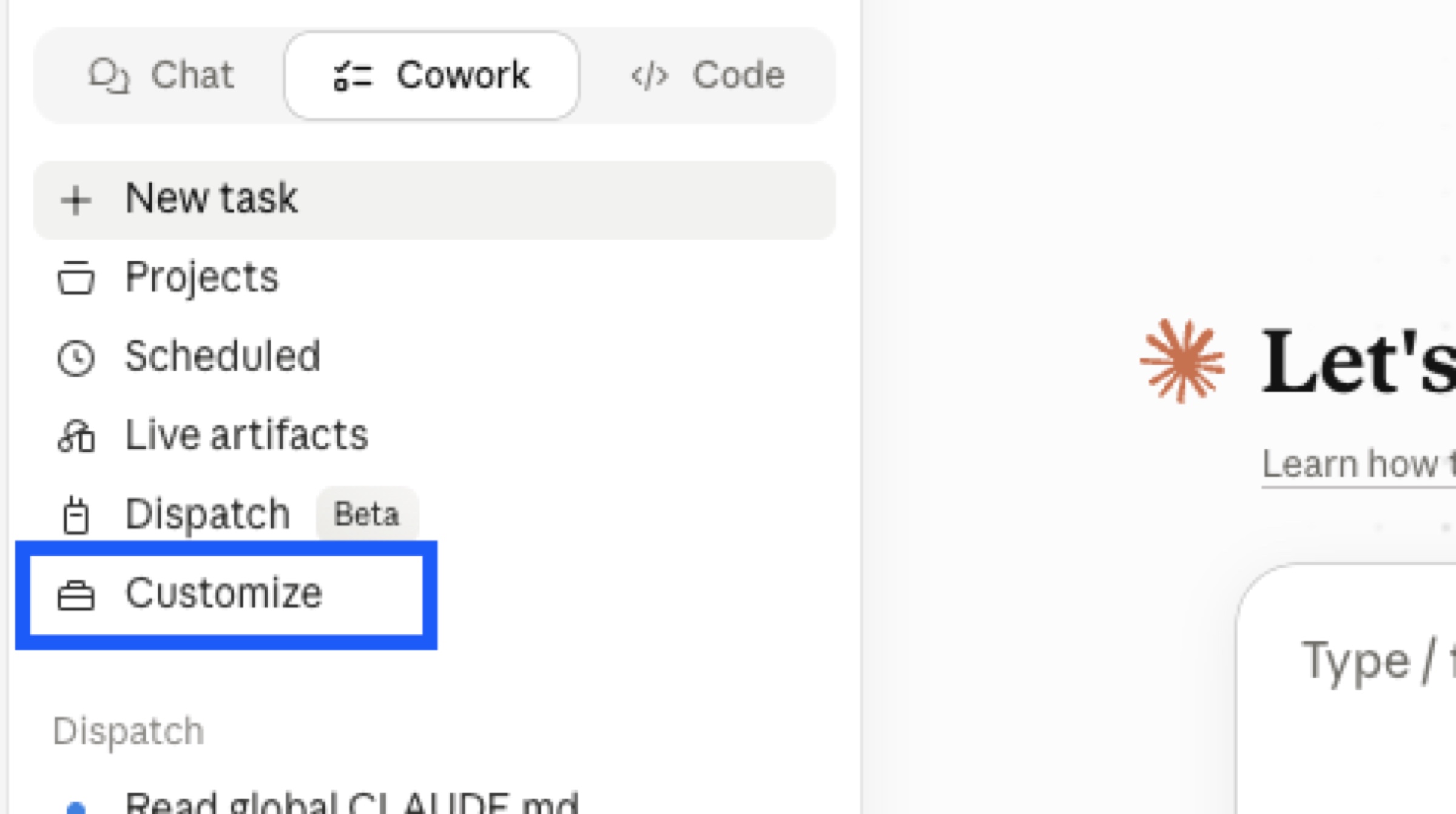
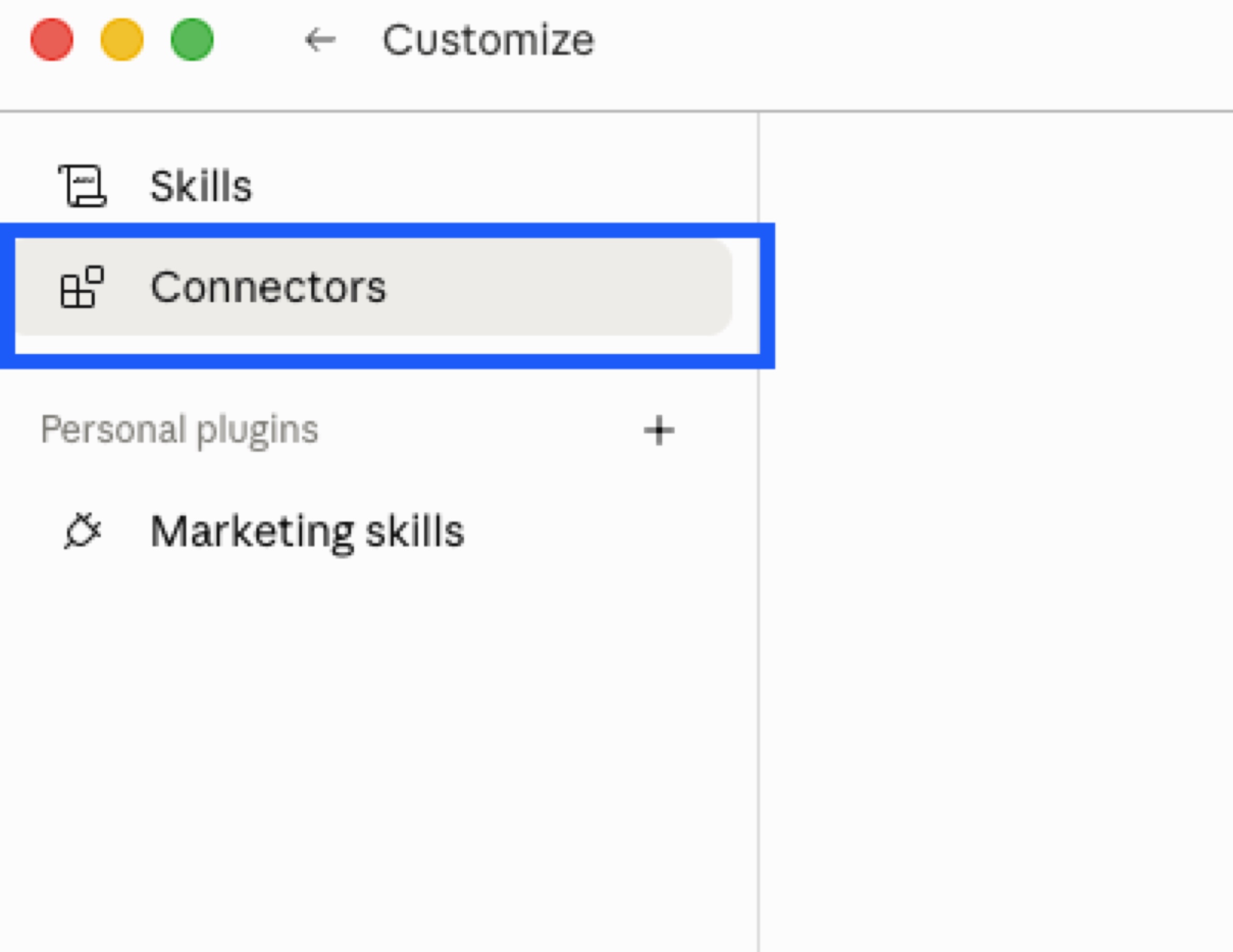
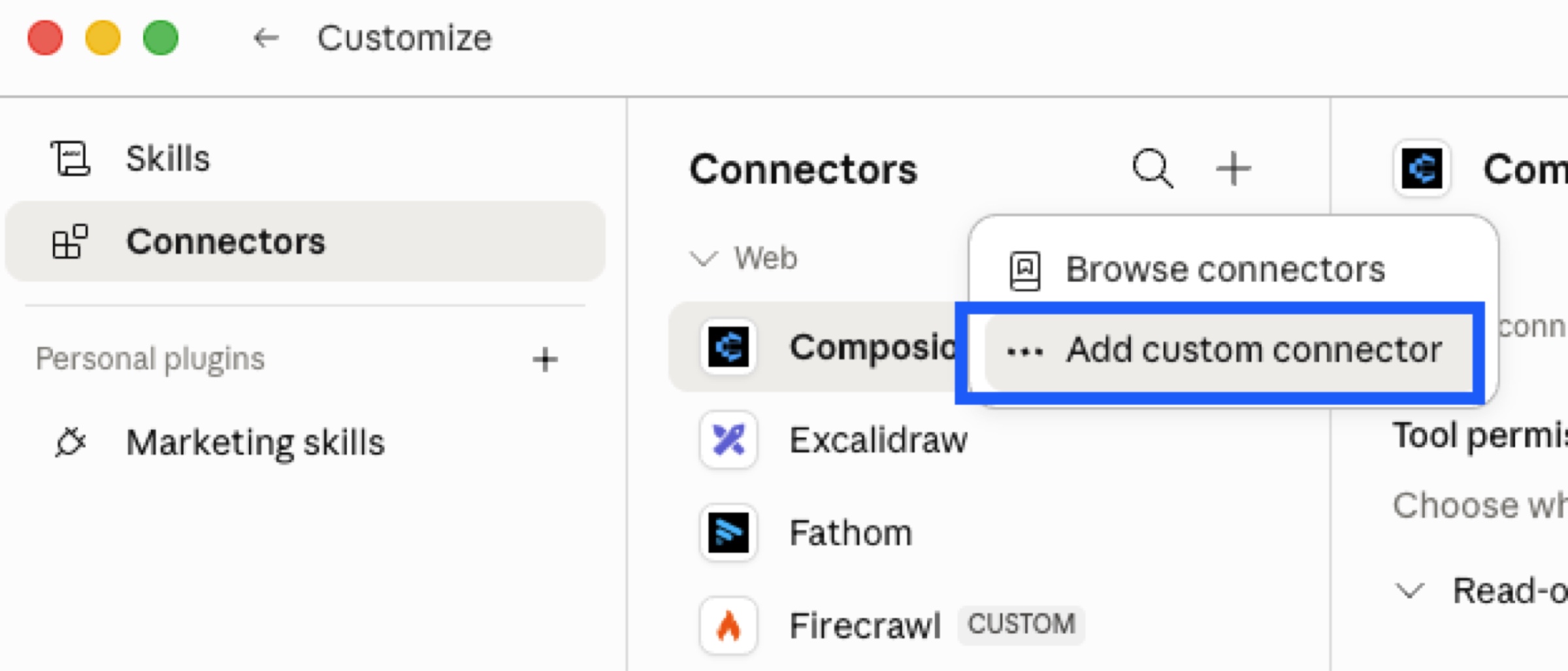
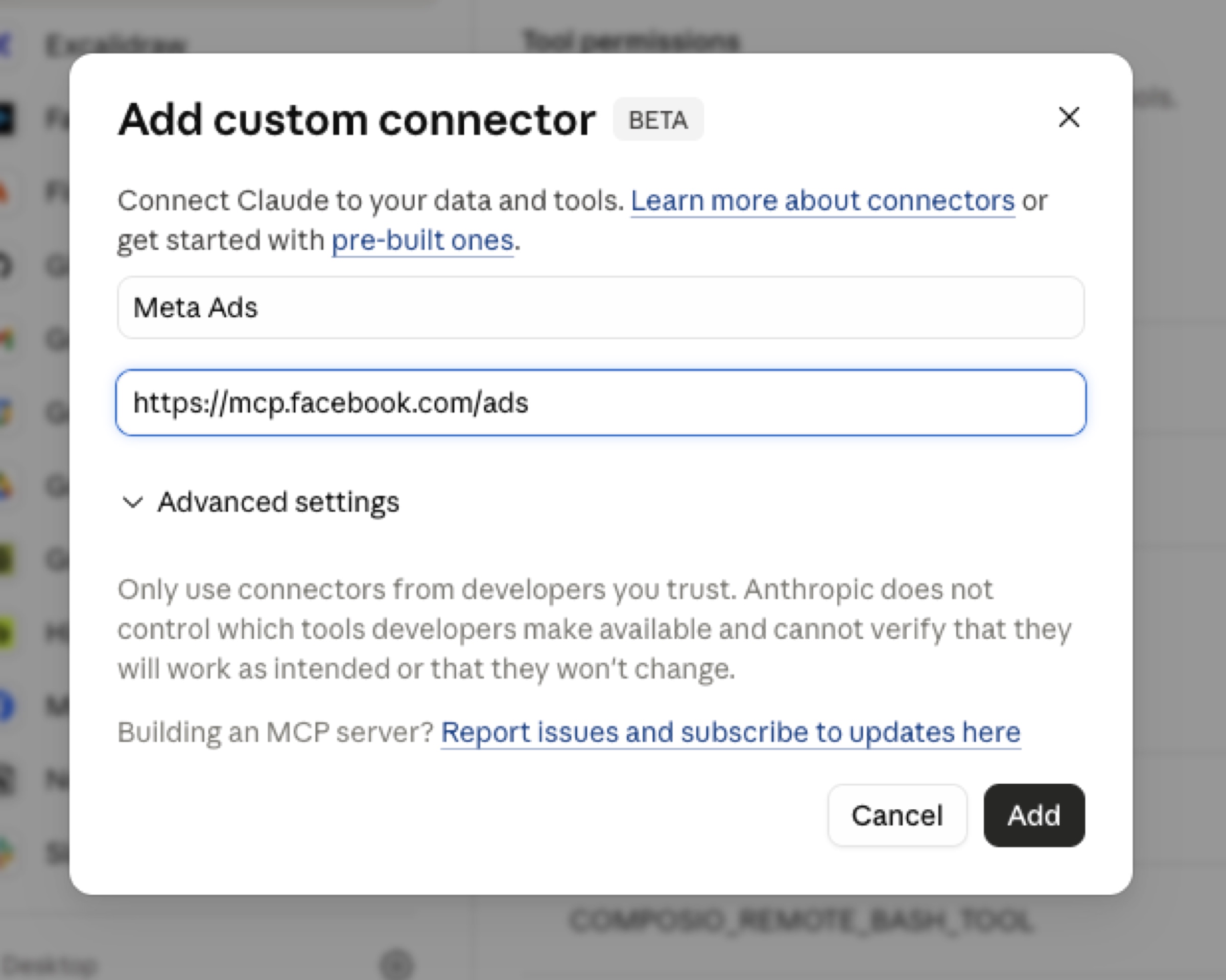
Both connectors install the same way. In Claude, go to Customize → Connectors → Add custom connector. For Higgsfield, paste the Higgsfield MCP URL. For Meta, paste the Meta Business connector URL. Connect each one with OAuth and you're done.
For assets, you need three things: a product photo, some brand information, and a folder for outputs. If you actually run ads for the brand, you probably already have brand guidelines and an ICP doc. If you don't (I was testing on Bloom, a brand I don't work with), you can build a reasonable substitute in about five minutes. I had Claude write a one-pager on the product, then used Firecrawl — another connector, worth having — to scrape the brand's website and pull colors, fonts, and logo treatment into a JSON file. Not perfect, but enough.
The prompt
Once everything is connected and your assets are in a folder, the actual prompt is short. It references some documents that I recommend you build separately and have on your computer for Claude to reference during any and all of your business related queries:
My brand is BRANDNAME. Read my brand overview here: @BRANDNAME-Overview.md
Look at my competitors ads in Meta Ads Library. Generate 25 static image ads based on what you see working for them. Use Higgsfield MCP, and reference the @BRANDNAME-design-reference.md so the ads are in line with my brand design.
That's it. Claude pulls competitor ads from Meta's Ad Library, synthesizes the patterns it sees across them, builds 25 ad concepts from those patterns, and generates the images. The branding JSON keeps colors and logos consistent. The competitor research keeps it grounded in what's actually running rather than what sounds good in theory.
After the images are done, one more message: Write primary text and headlines for these ads. Claude already has all the context it needs from the research and brief, so the copy comes back on-message without a lot of back and forth.
Then: Set this campaign up in Meta Ads with these static ads, primary text, and headlines.
Claude creates the campaign, groups the ads into ad sets by angle, uploads the creatives, and attaches the copy. Everything launches paused. Nothing spends until you go in and flip it on manually.
Making it repeat
The last step is the one that turns a one-off into a real workflow. Tell Claude: Schedule this workflow to run every Friday to create and launch new ads. It confirms the steps — fresh competitor research, new ad concepts, new creatives, copy, launch on pause — and sets it up to run automatically.
Now every Friday, Claude pulls new competitor ads, generates a fresh batch, and stages them in your account for review. You wake up, look at what it built, and turn on what looks good.
Where this will go
The version above is genuinely useful, but it has no real marketing brain in it. There's no campaign structure logic, no naming conventions, no rules about when to kill an ad. Claude just made up a structure because I didn't tell it otherwise.
The way to fix this is with Skills — reusable instruction sets you build once and call by name. You'd want at minimum a campaign-setup skill that teaches Claude how you actually structure ad accounts (one testing campaign, one scaling campaign, ad sets per angle, etc.), a brand-voice skill, and a primary-text-writing skill that reflects how you specifically like copy written. Then you build an orchestrator skill — call it something like new-ad-batch — that chains all of those in sequence. When the weekly automation fires, it calls one skill, which knows to run the others.
You can extend this further. A kill-underperforming-ads skill that runs daily, checks CPA and CPM against thresholds, and pauses anything that hasn't hit them after three days. A weekly ads report that summarizes what's running and how it's performing.
The single-prompt version is worth running today to see that the workflow actually works for you. The Skills version is something I will build as time goes on. The end state is a marketing function that mostly runs itself, with a human reviewing creative and making calls on strategy.